
Step 1
Upload a clothing photo
Start with a flat lay, hanger, mannequin, or model photo. Clear fabric texture and even lighting give the AI the strongest reference.
Smooth unwanted creases in clothing photos while preserving fabric texture, color, and garment details for cleaner ecommerce product images.
Upload Garment Photo
JPG, PNG, WEBP
Upload Clothing Photo
Drop in a wrinkled garment photo or click to browse. JPG, PNG, or WebP, up to 10 MB.
Quick Answer
An AI clothes wrinkle remover cleans apparel product photos by smoothing unwanted creases while keeping garment shape, color, print, stitching, and texture believable. It is useful for ecommerce teams that need cleaner catalog photos without sending every SKU through manual retouching.
How It Works
Step 1
Start with a flat lay, hanger, mannequin, or model photo. Clear fabric texture and even lighting give the AI the strongest reference.
Step 2
Choose Default for everyday wrinkle cleanup or Strong for more noticeable creases.
Step 3
Review the garment's shape, seams, and fabric texture in the preview.
Fabric cleanup
Clothing cleanup focuses on smoother fabric and fewer distractions while preserving the original garment design.
Shirt, dress, jacket, pants, skirt, and knitwear wrinkles
Creases from folding, shipping, storage, and hanger pressure
Uneven fabric tension around collars, sleeves, hems, and waistbands
Small dust marks and lint that distract from the garment
Background cleanup for white or light product pages
Texture-aware smoothing that keeps seams, prints, and fabric grain visible
Results
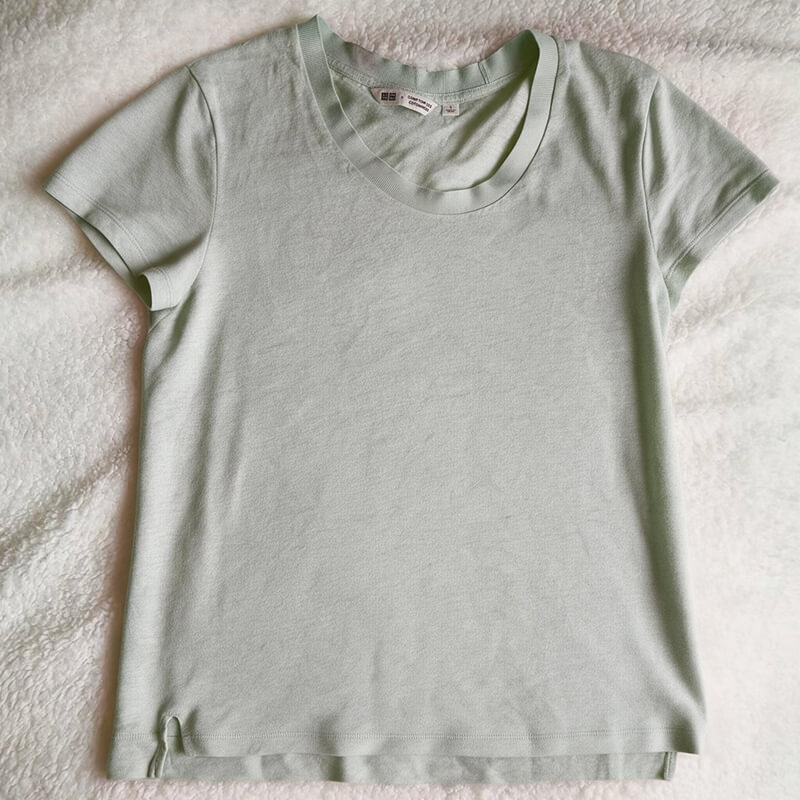
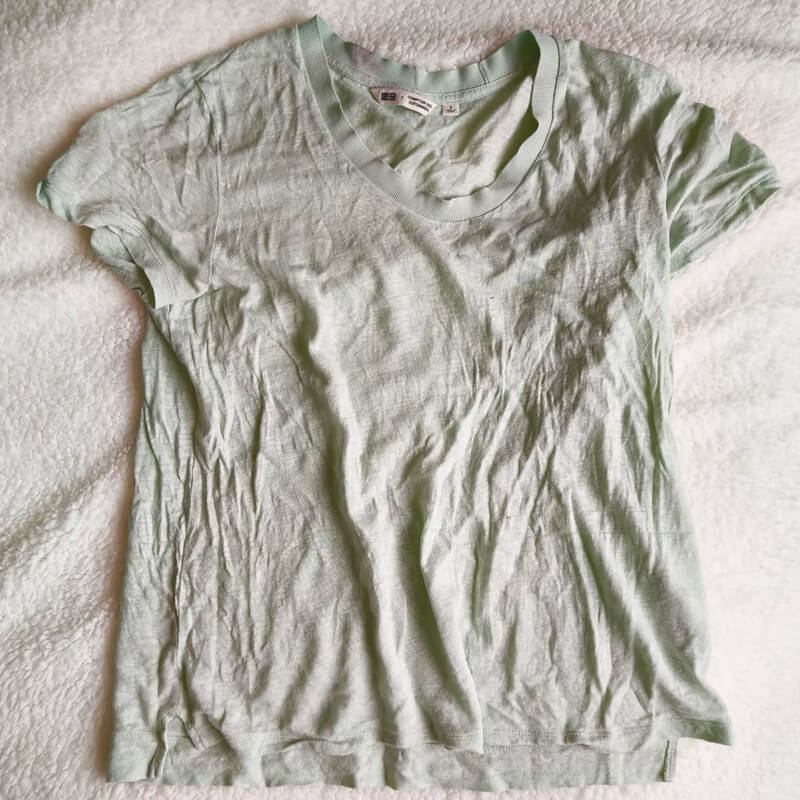
Real AI-generated results across flat lay, on-model, and hanger photos. Each image shows the original on the left and the wrinkle-removal result on the right.
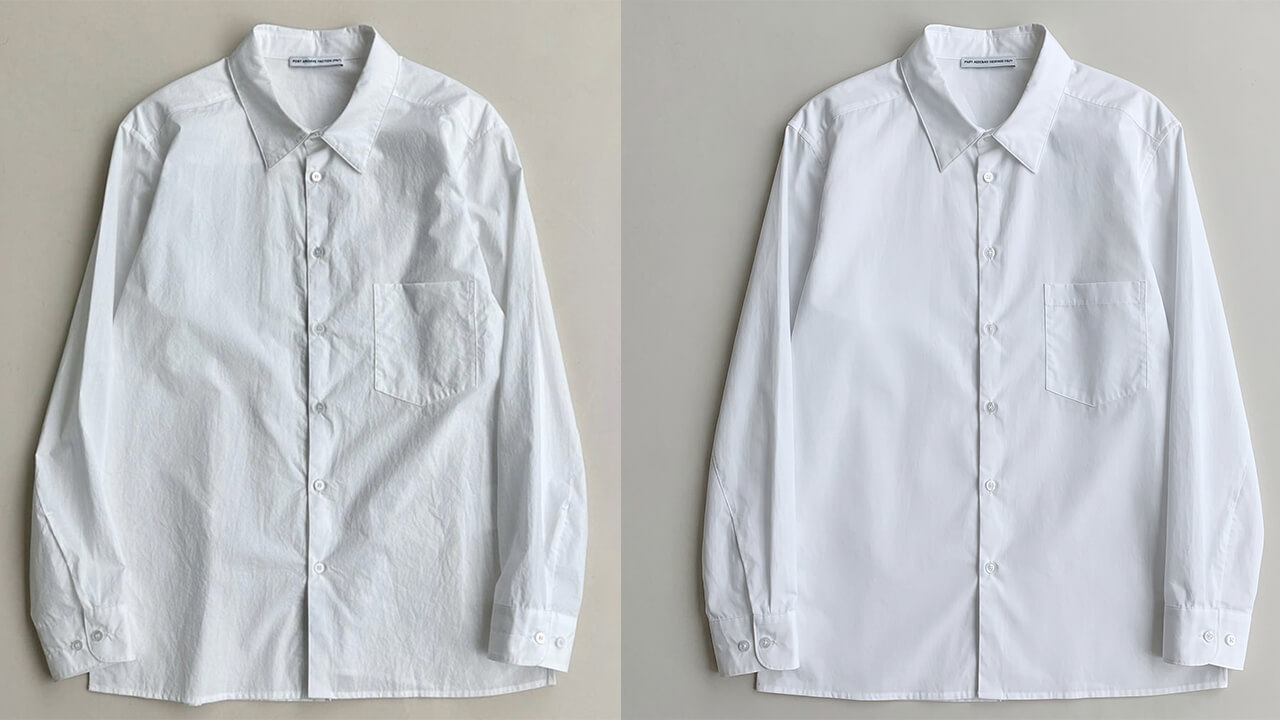
Smoother sleeves and front panels give this white shirt a cleaner finish, with the collar, buttons, and chest pocket still clearly defined.
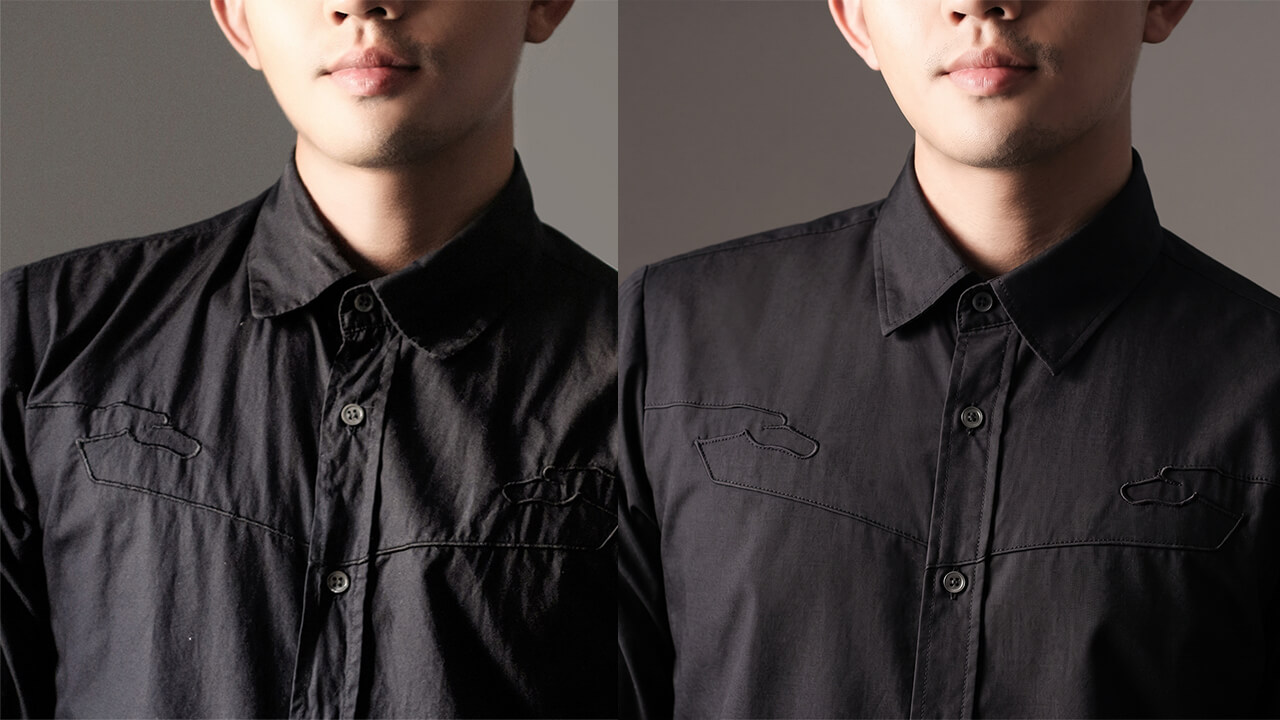
Reduced creases around the chest and button placket create a cleaner black shirt photo while keeping its embroidered details visible.
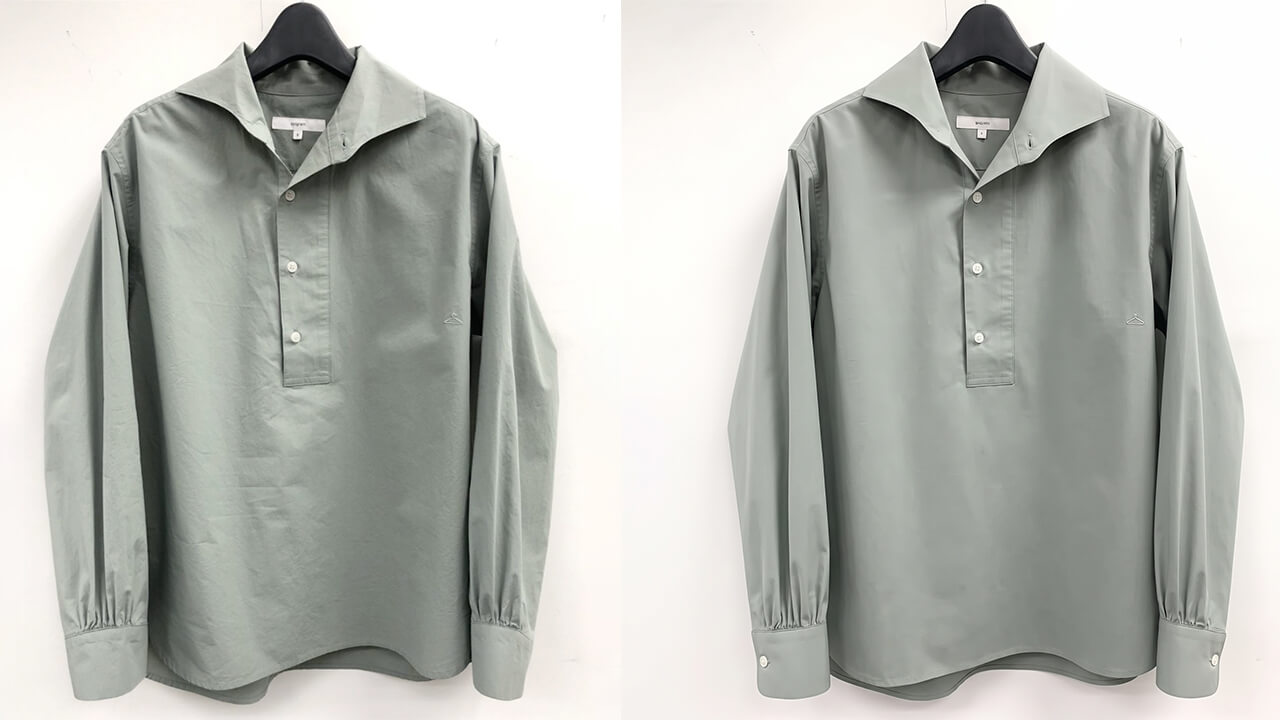
Wrinkle cleanup smooths this green shirt's body and sleeves while retaining its hanging shape, cuffs, and curved hem.
The Difference
Manual editing still matters for complex hero imagery. For routine SKU cleanup, an AI workflow can reduce repetitive fabric smoothing and make product-page production easier to scale.
FAQ
It is an image editing workflow that smooths unwanted clothing wrinkles while preserving garment shape, color, pattern, seams, and fabric texture.
Check that the garment keeps its original color, shape, seams, and print. Fabric should look natural, with intentional folds and pleats still visible.
Use clear, well-lit apparel photos where the full garment is visible. Light wrinkles are easier to clean while keeping the result realistic.
Intentional pleats, stitching, and fabric texture are important garment details. Choose Default for delicate fabrics and check these areas carefully.
Yes. Wrinkle removal can become a cleanup step before or after ghost mannequin generation, especially for ecommerce catalog images.
Clothing photo retouching reduces the shadows and highlights that make unwanted creases visible. Work from a clear original image, use a subtle cleanup level, and compare the edited photo with the original. Keep seams, garment edges, and natural folds intact so the clothing still looks realistic.
Photo wrinkle removal changes the image, not the physical garment. Ironing or steaming before a shoot can reduce the amount of retouching needed. Digital cleanup is useful for small creases that remain visible in a clothing product photo.
Use the lightest adjustment that makes the unwanted crease less distracting. Check the image at full size for visible weave, knit stitches, and fine surface detail. If the fabric looks blurred or plastic, reduce the smoothing rather than removing every fold.
Each fabric has a different natural appearance. Cotton creases should be softened without erasing the weave; linen should retain some of its characteristic unevenness. Preserve silk's highlights and drape, and keep individual knit stitches visible. A single cleanup strength will not suit every garment.
Yes. Wrinkle cleanup is a common retouching step for flat lay, hanger, mannequin, and model photography. Pay attention to the garment's outline and drape: a flat lay should retain its shape, while clothing on a hanger or model should keep the folds that show how it hangs.
Clothing wrinkle removal edits creases within the garment. Background removal separates the garment from its surroundings. They address different parts of a product photo and can be combined, but a clean background alone does not smooth wrinkled fabric.
No. Ecommerce clothing photos should represent the actual product. Soften distracting storage or shipping creases while keeping intentional pleats, gathers, and natural folds that communicate fit and construction. Excessive retouching can misrepresent the fabric or silhouette.
Use the highest-quality original available, with sharp focus and even lighting. Include the full garment and avoid harsh shadows that hide fabric details. Keep an untouched copy for comparison, and check logos, prints, buttons, and stitching after any retouching.